

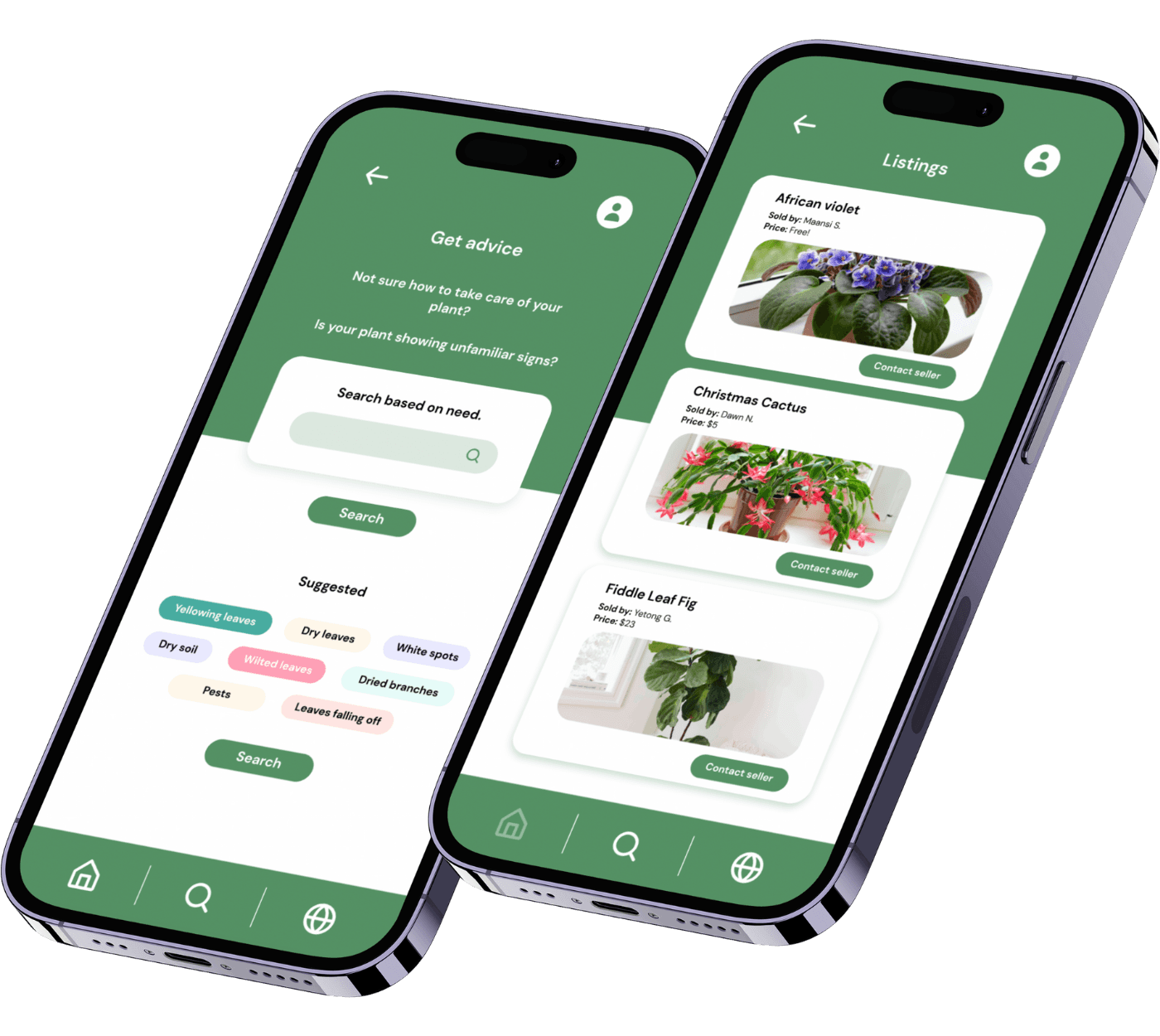
Overview
A simpler way to help people grow thriving plants—without all the guesswork.
This project was completed in Spring 2024 as part of a quarter-long mobile design initiative focused on simplifying indoor plant care. I led the end-to-end design process—from contextual interviews to prototyping and user testing—to understand why plant ownership often feels intimidating for beginners. Through research-driven insights, I designed a mobile solution that offers guided care schedules, tailored advice, and discovery tools to help users feel more confident in nurturing their plants.
Role
Product Designer, User Researcher, Visual Designer
Duration
12 weeks
Tools
Figma
Miro
Problem Space
Plant care looks simple, but for beginners, it’s full of
confusion
trial-and-error
inconsistent routines
Without accessible guidance, even motivated plant owners struggle to help their plants thrive.
We explored the problem space by conducting contextual inquiries and secondary research on common challenges faced by plant owners, from beginners to enthusiasts.
This process helped us uncover key pain points around knowledge gaps, time constraints, and confidence, guiding where our design interventions could have the most impact.
Where
📍
At home, where users juggle plant care alongside work and school. Their support system is fragmented—mixing online searches, store tags, and advice from friends—making it hard to form reliable habits.
Why
❤️
This matters because users want the benefits of indoor plants—calm, beauty, and connection—without the frustration of trial-and-error. Simplifying care creates long-term value by helping users maintain plants and feel confident.
Who
🤔
People who want to care for their plants but struggle with the knowledge, time, or confidence needed to keep them healthy.
When
⏰
As soon as users bring a new plant home and realize they don’t know how to care for it—especially when watering schedules, sunlight needs, or early symptoms aren’t obvious.
User Research
I conducted contextual inquiries with 4 participants 📝 ranging from beginners to experienced plant owners, alongside secondary research on common plant care challenges and responsibilities.
This allowed me to uncover key challenges and successes in plant care, as well as discover users’ needs, motivations, and expectations for managing and maintaining their plants.
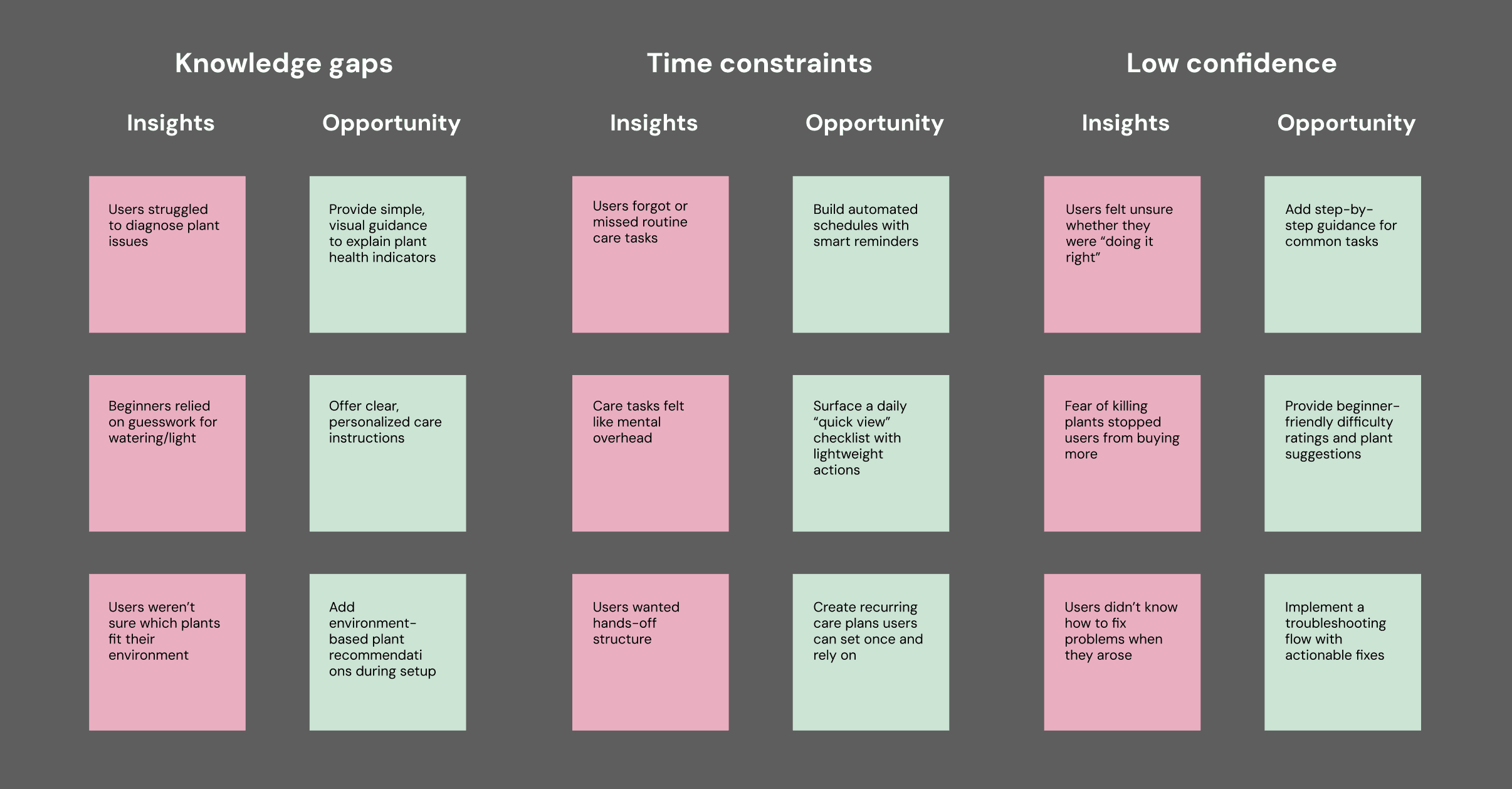
User Insights
We identified major pain points & brainstormed recommendations based on our user research.
Advice section
Providing tailored tips on watering, sunlight, and maintenance can help fill knowledge gaps.
A personalized plant shelf
A personalized plant tracking system can help them stay organized.
Discovery page & reminders
Recommending suitable plants and sending automated care reminders can empower users to maintain healthy plants.
Pain points
Opportunities
Lack of knowledge
Users often struggle with understanding how to care for plants properly, leading to frustration or mistakes.
Time constraints
Users have expressed that busy schedules make it difficult to maintain regular plant care routines.
Low confidence
Research indicates that many users feel unsure about their ability to keep plants alive, especially beginners, which can prevent them from trying.
Goal ✅
Design an app to support confident plant care for users of all experience levels.
PlantPal aims to increase beginner and intermediate plant owners’ success in keeping plants alive, targeting a 30% improvement in user confidence and engagement within the first three months of use.
Ideation
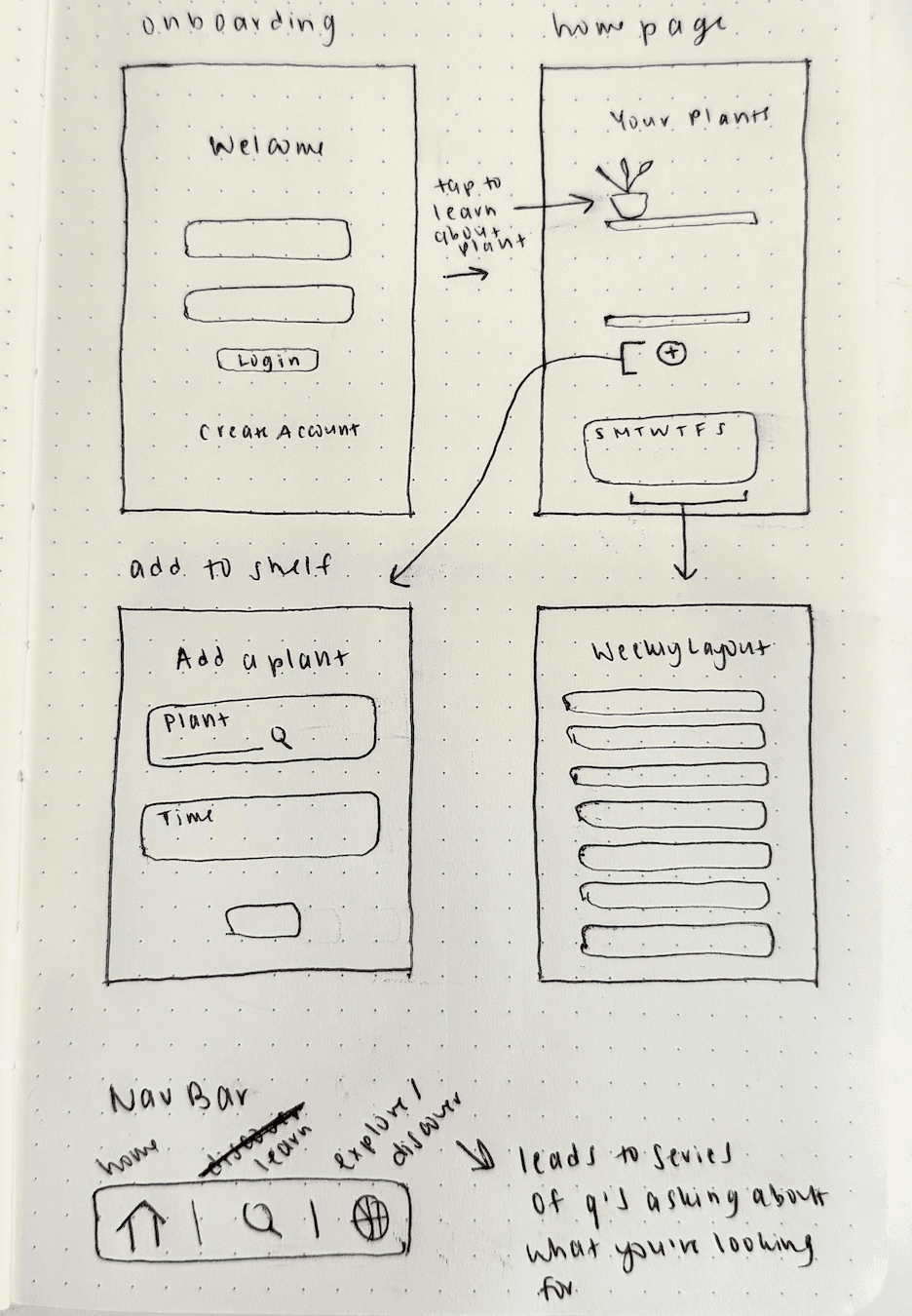
I explored several design directions, integrating insights and recommendations from user research to guide each iteration.
Early stage sketches
Lo-fi wireframing
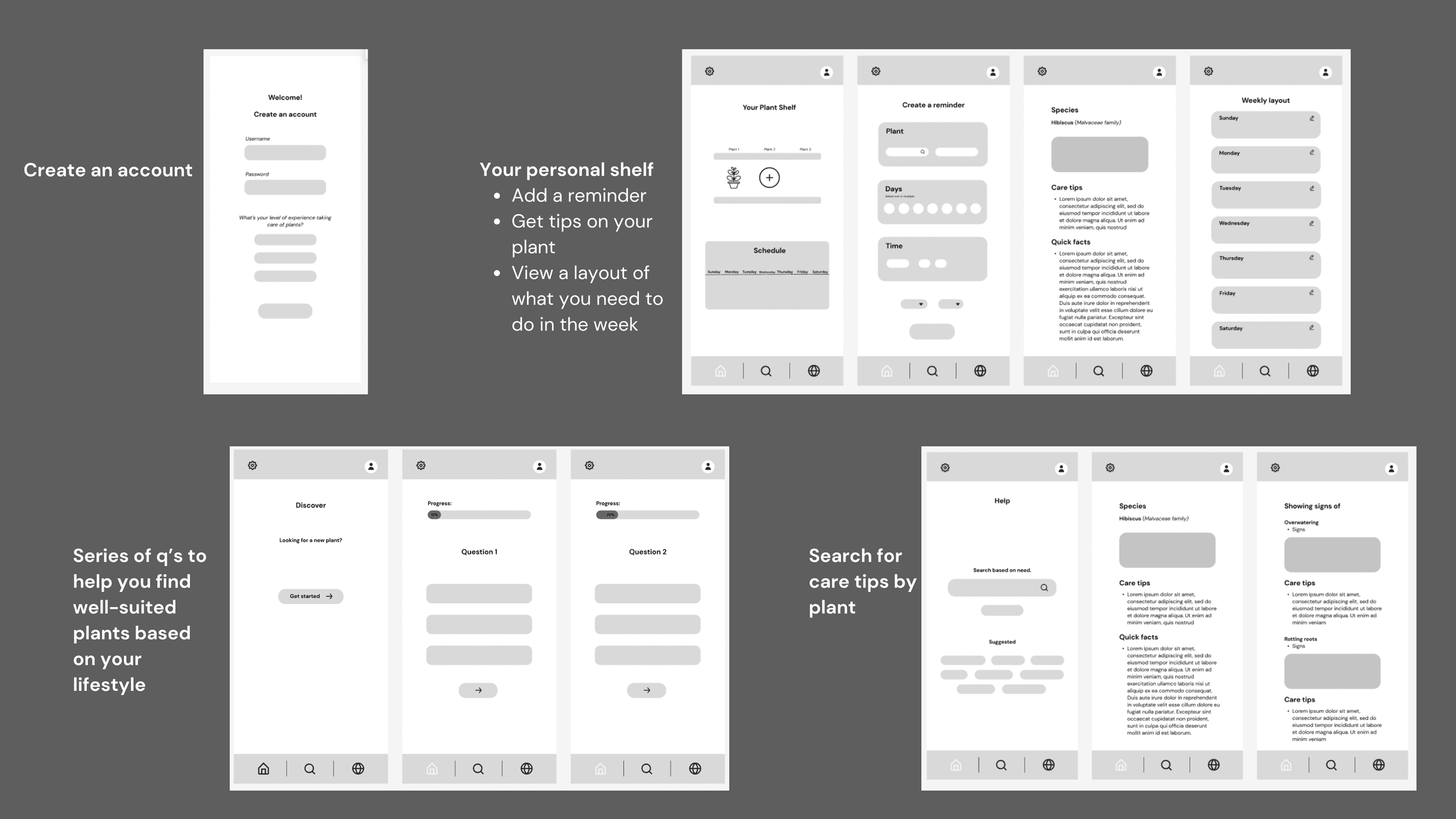
I focused on creating an intuitive, user-friendly design that directly addressed user pain points.
Hi-fi Mockup
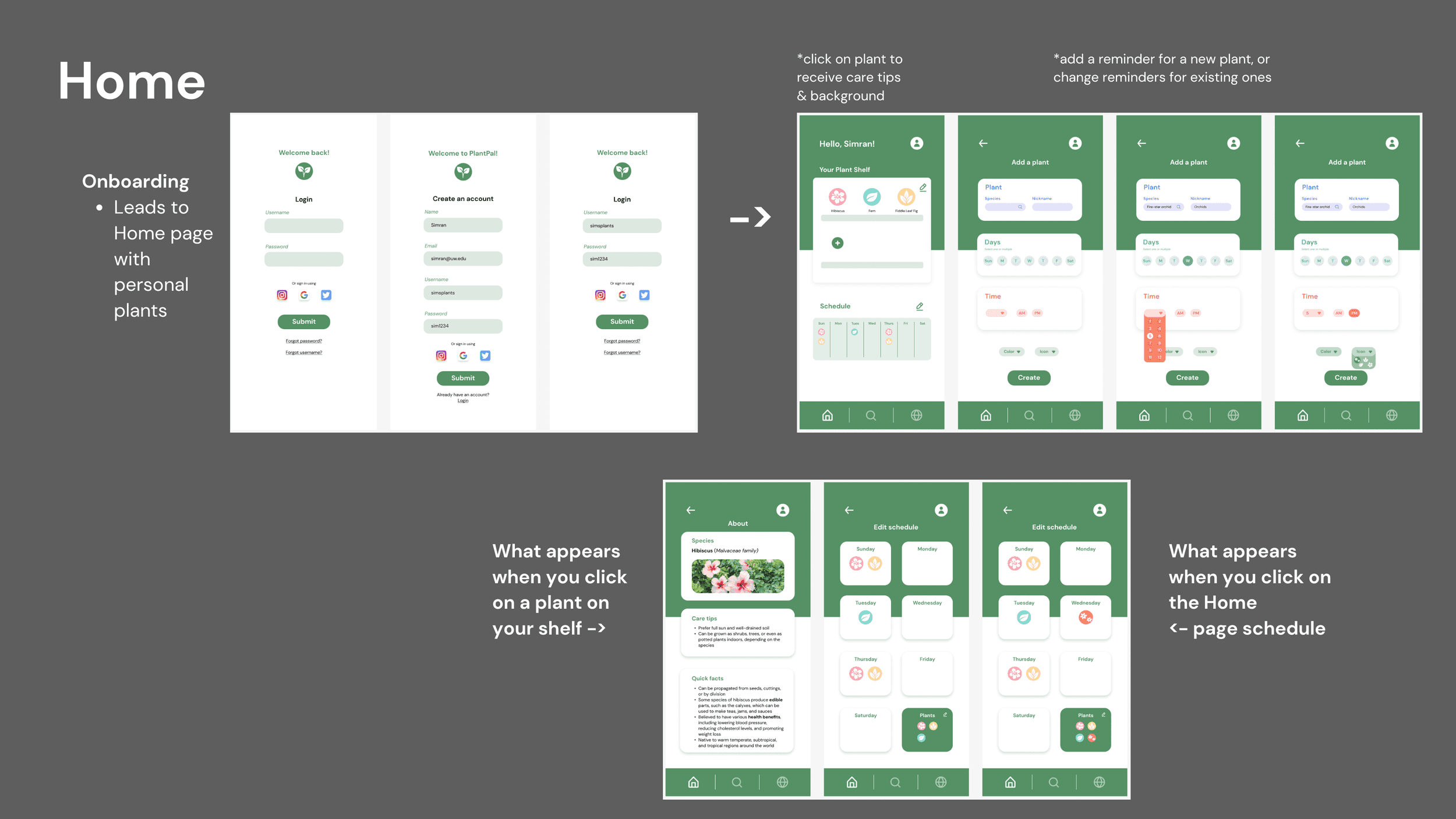
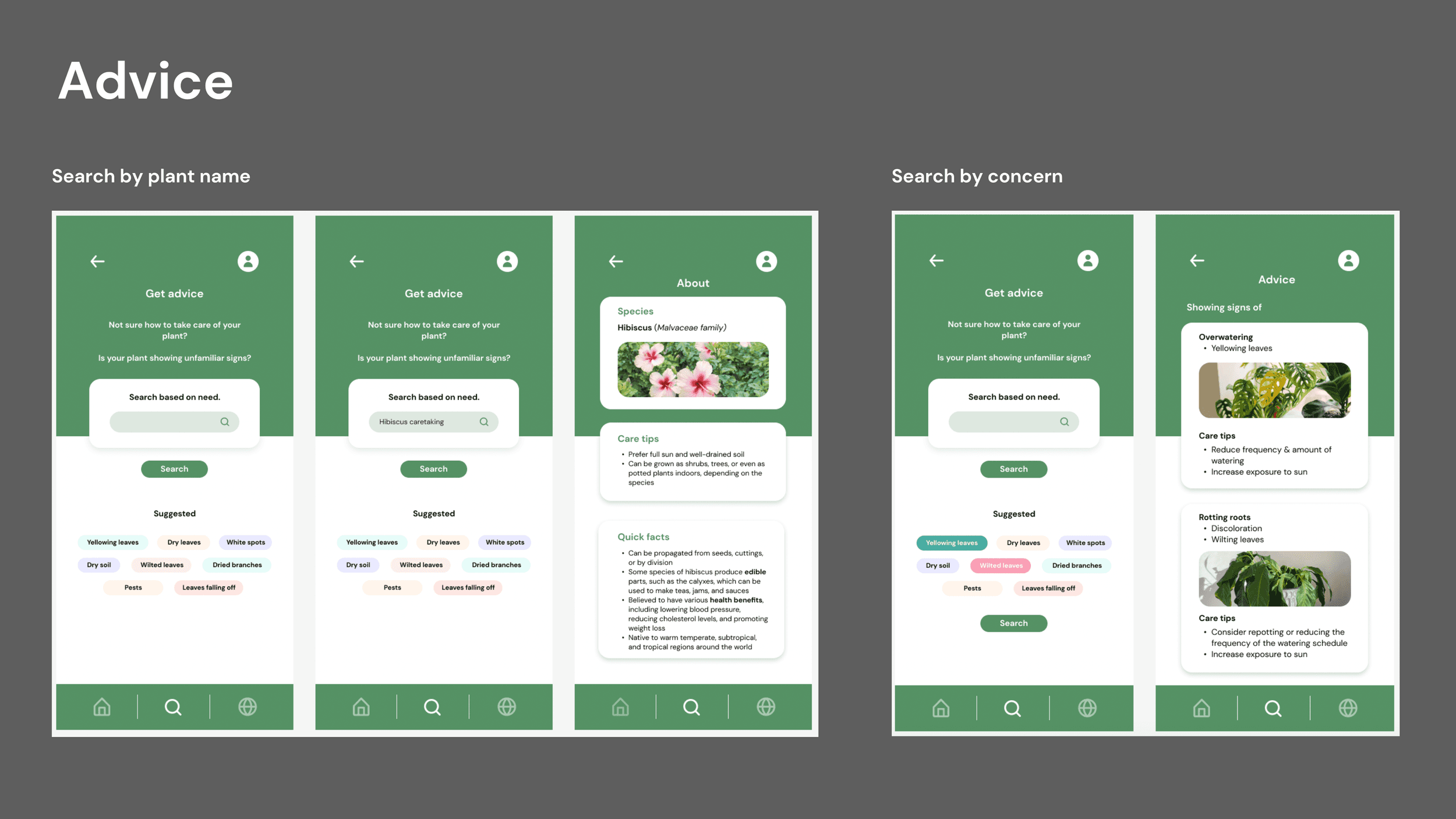
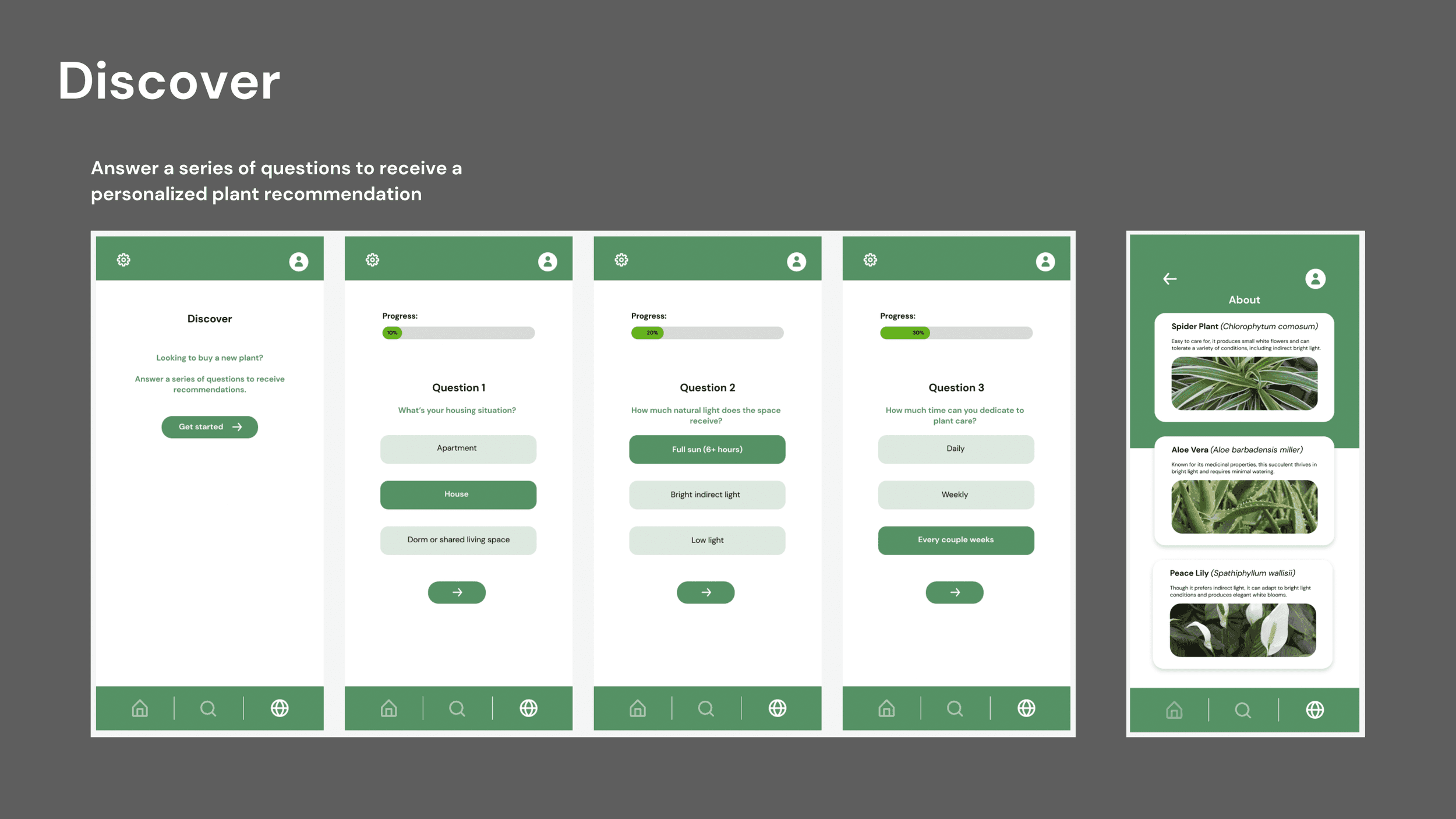
Evaluating the prototype
Findings
Survey evaluation 📝
4 users per method, representing beginner, intermediate, and experienced plant owners.
Pre- and post-tests measured user confidence, usability, and feature preferences through quantitative and qualitative feedback.
Test goals ⭐️
Assess confidence in plant care.
Evaluate usability and user interaction.
Understand user preferences and demographics.
✅ Confidence for 75% of users increased
⚡️ Visual aids and guidance in the “Advice” section were critical for understanding plant care
❌ Some features (days/times, icons) were confusing for 50% of users and required clarification
✅ The “Discover” feature was effective for 75% of users exploring new plants
Recommendations: 25% of users (1/4) suggested adding a community marketplace for buying/selling plants. 💡
.
Observed users interacting with the Figma prototype to identify usability issues and evaluate feature effectiveness.
Behavioral analysis 🧠

Final Designs
After weeks working on this project & implementing feedback, I finally wrapped up my design!
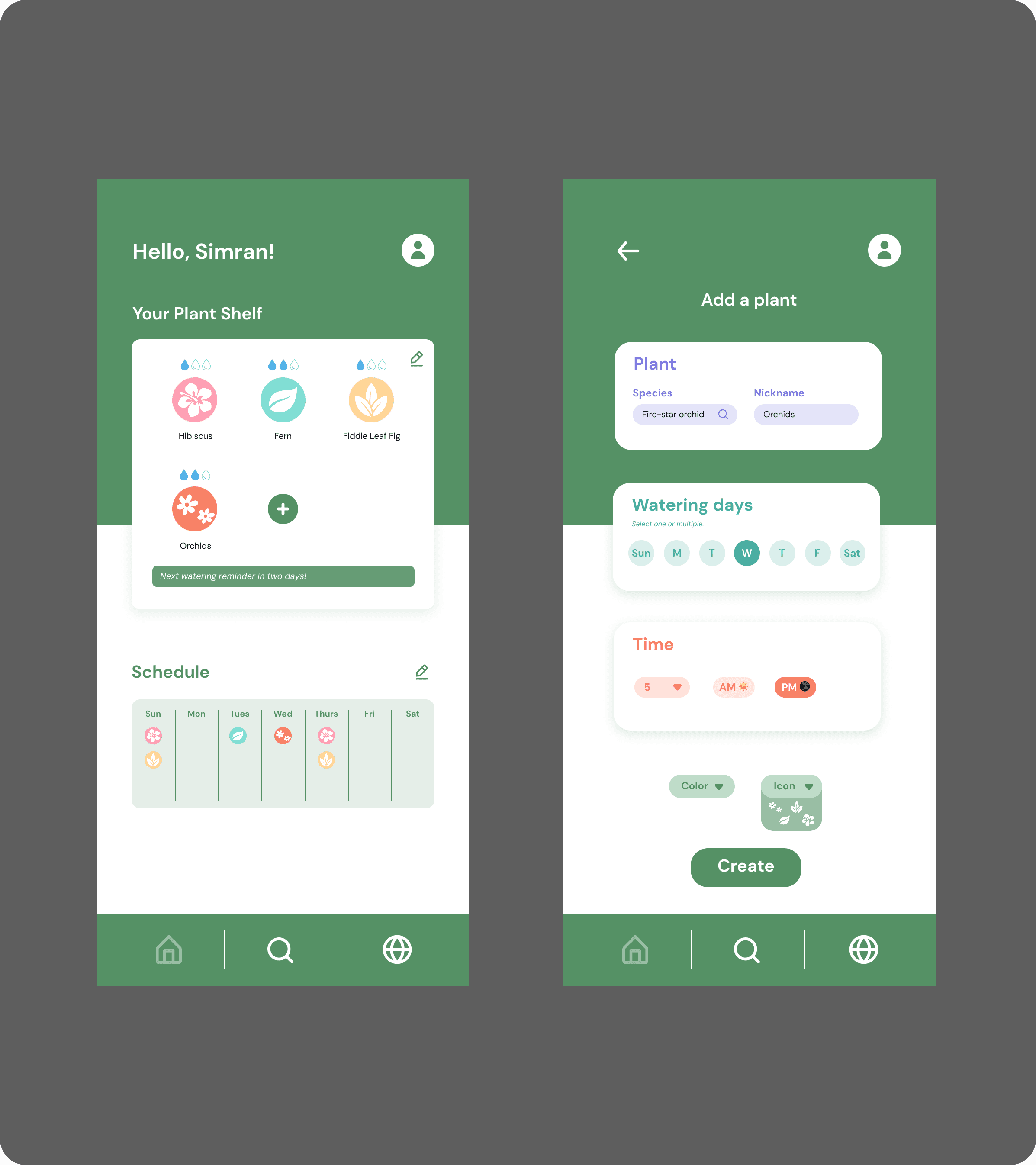
Home Page (My Plant Shelf)
Displays all your plants with a personalized care schedule.
Shows upcoming tasks (watering, repotting, sunlight needs) at a glance.
Helps users track plant health and stay organized with minimal effort.
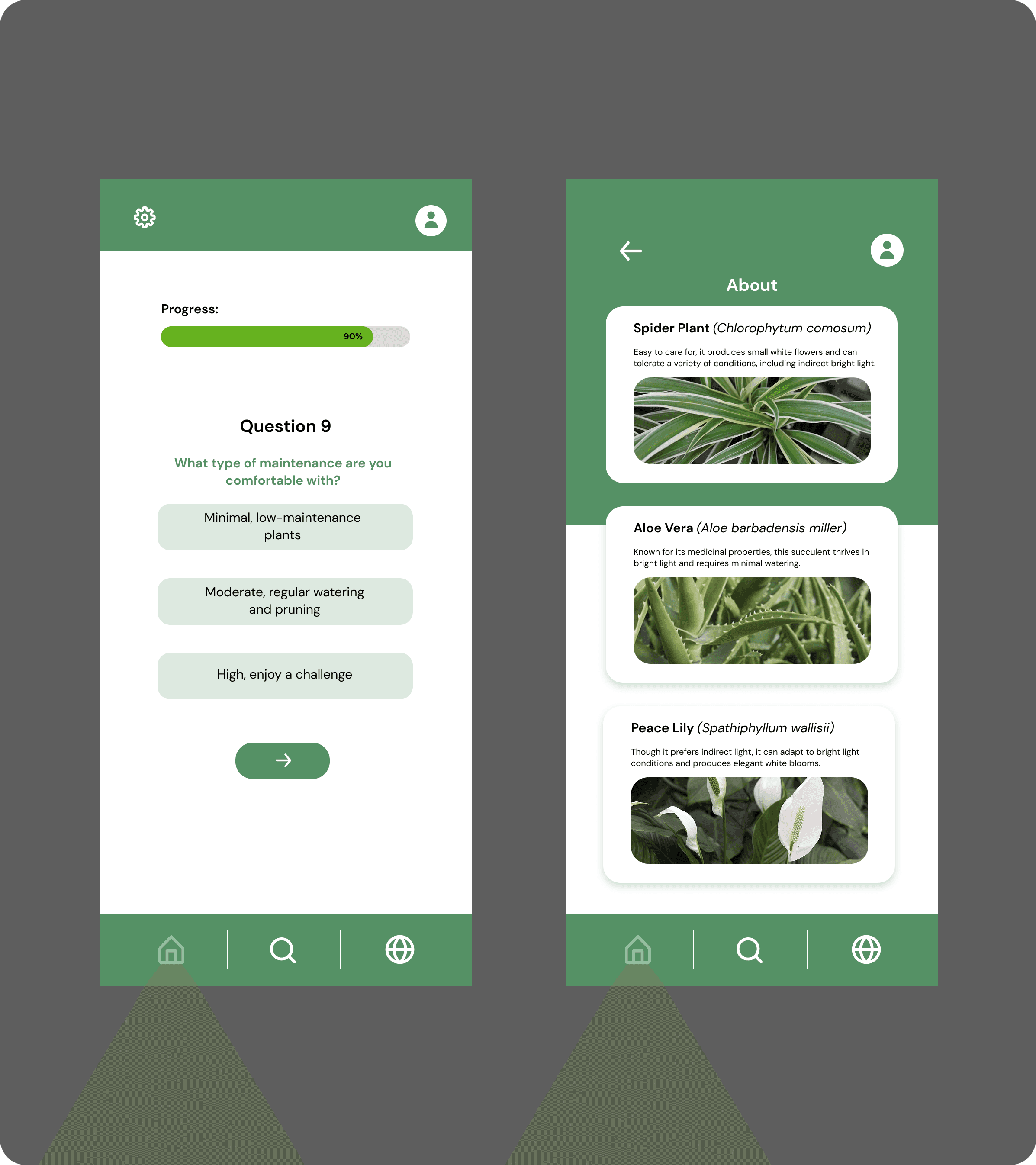
Discover
Recommends plants based on the user’s environment, lifestyle, and skill level.
Allows browsing by difficulty, care needs, and aesthetic preferences.
Helps users expand their plant collection while minimizing overwhelm.
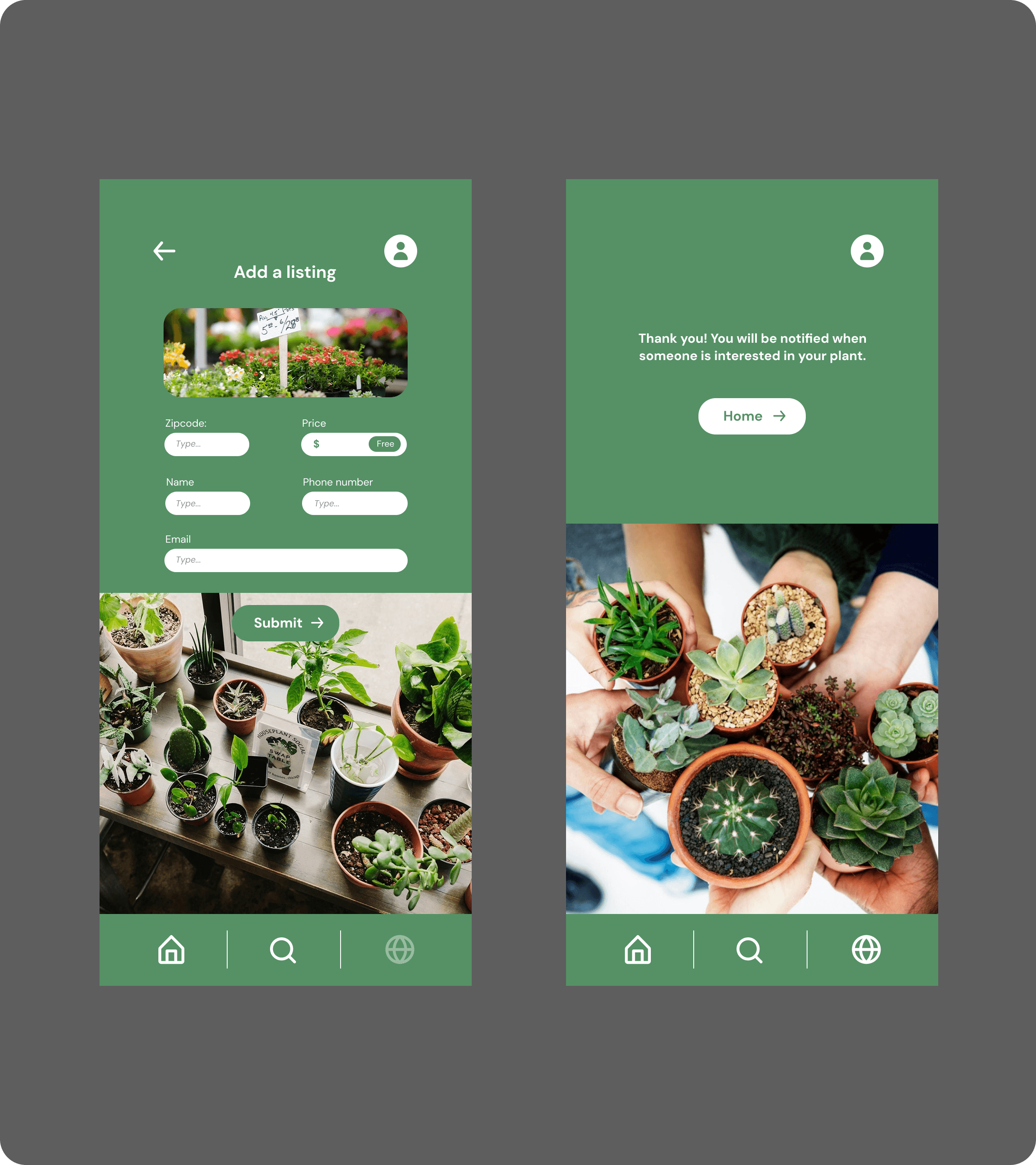
Community
Enables users to buy, sell, or trade plants within their local area.
Creates a space for sharing tips, successes, and care questions.
Fosters connection and support among plant enthusiasts of all levels.
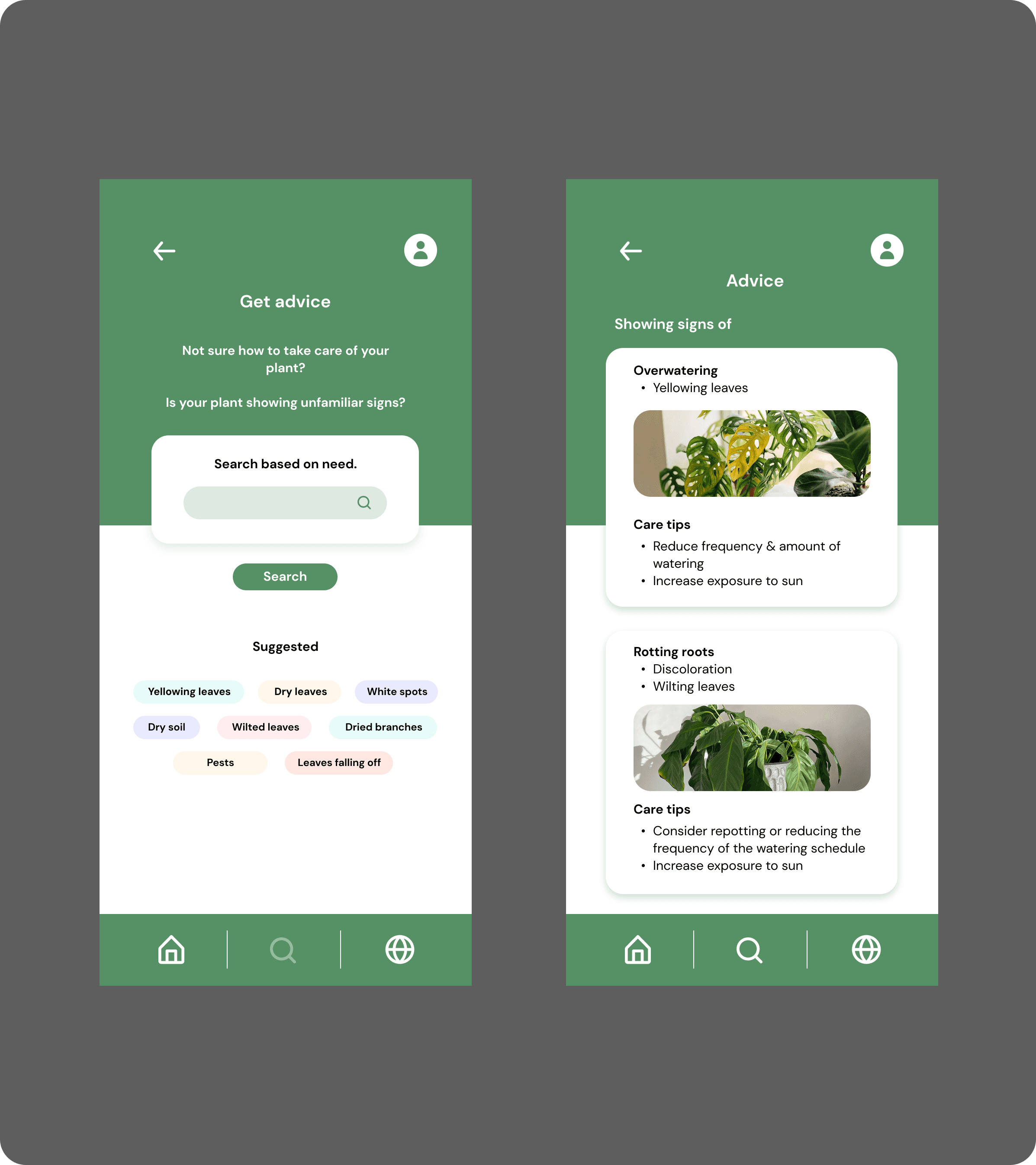
Advice
Provides tailored care guidance based on plant type and symptoms.
Includes visual references to help users diagnose issues confidently.
Simplifies complex plant-care concepts into clear, actionable steps.
Learnings
This project reminded me that good design isn’t about getting it right the first time—it’s about learning, adjusting, and showing up with curiosity every step of the way.
🎨
Designing through ambiguity
I learned how to navigate unclear problem spaces by grounding decisions in user research, synthesizing insights, and defining a focused product vision.
🗣️
Communicating with clarity
Turning complex findings into clear artifacts—flows, insights, and opportunity areas—helped me strengthen my ability to communicate design rationale.
👷🏽♀️
Building coherent systems
Designing multiple features across one ecosystem taught me how to maintain consistency in interaction patterns, hierarchy, and information architecture.