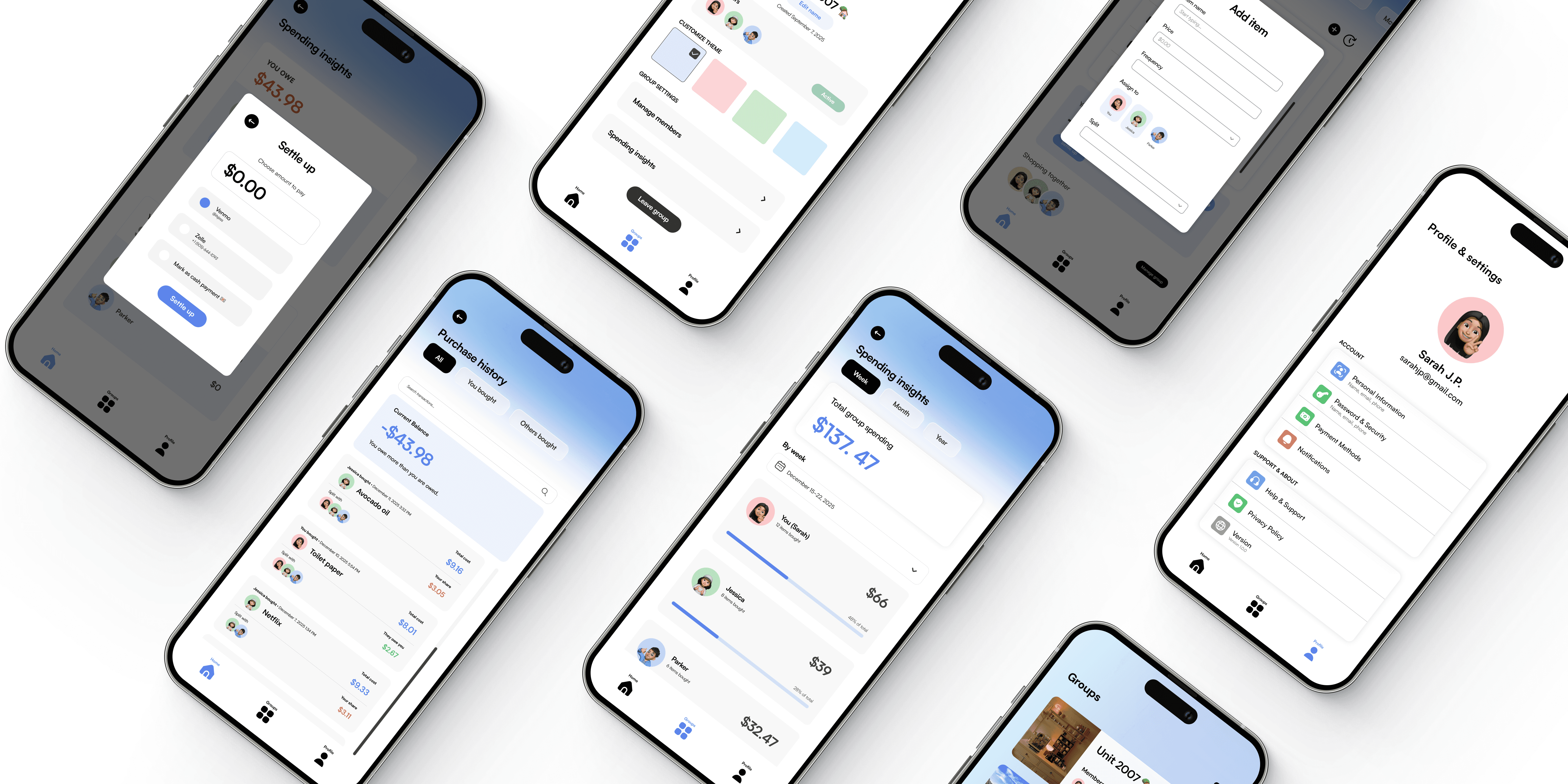
Mobile App Design
Reducing the chaos of shared living—helping roommates shop smarter, split fairly, and stay organized together.
Role
Product designer
User researcher Visual designer
Duration
12 weeks
Tools
Figma
FigJam
Lucidchart
Team
Me
Jeff K. (PM & Engineer)




Problem Space
Before designing, we wanted to explore:
How households currently manage shared responsibilities and expenses
What tools they use, and where challenges typically arise
There exists many household management and expense-splitting applications on the market, yet a common concern among housemates today is that managing shared expenses is unnecessarily complicated. The experience ranges from confusion about who bought what to awkward conversations about splitting costs—often transforming what should be a straightforward aspect of shared living into a source of ongoing stress.
Most commonly used methods of tracking expenses, as mentioned by users.




SmartCart aligns the entire
need → buy → settle
lifecycle into a single, cohesive mobile experience.
Design Process
Empathize
Learning about the target users
Translating insights into opportunities
Brainstorming tangible solutions
Creating hi-fi mock-ups of our ideas
Assessing usability & gaining feedback
Define
Ideate
Prototype
Test
Learn
Explore
Create
Discovery & Research
Our design approach began with validating the problem and understanding current user "hack" solutions.
Roommates & Housemates who frequently coordinate groceries and shared supplies.
31 Survey responses
💬
Secondary research
📖
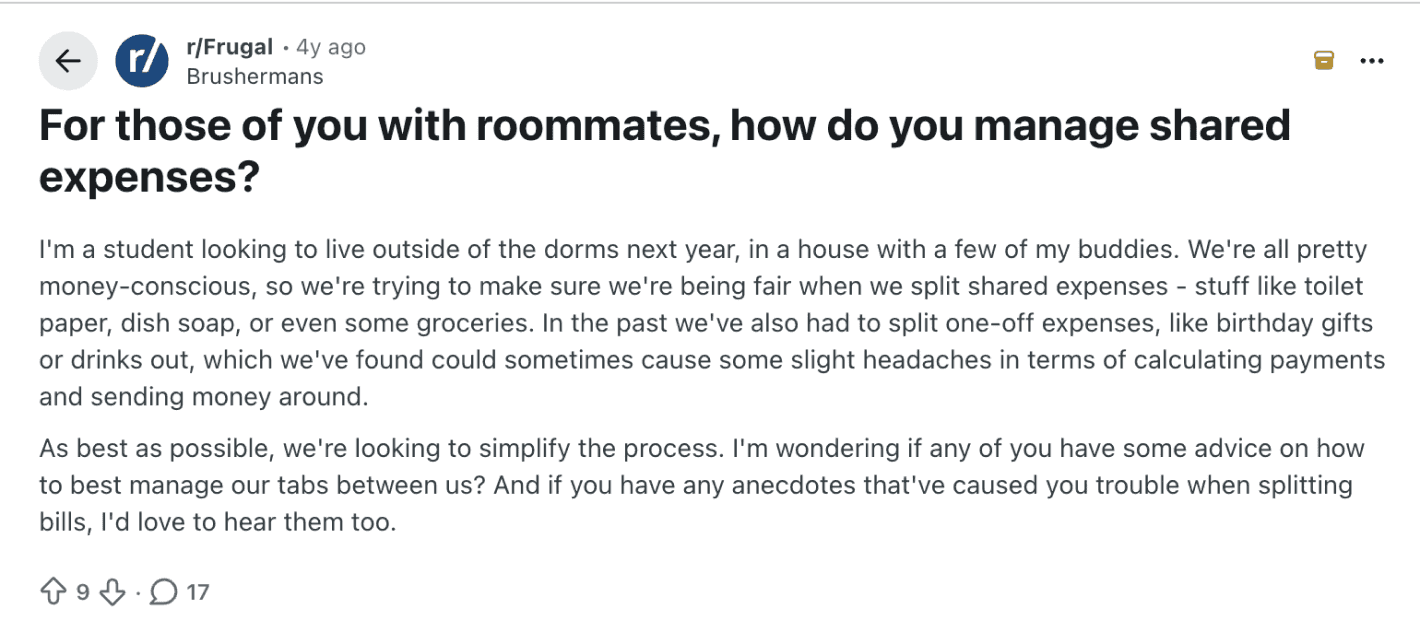
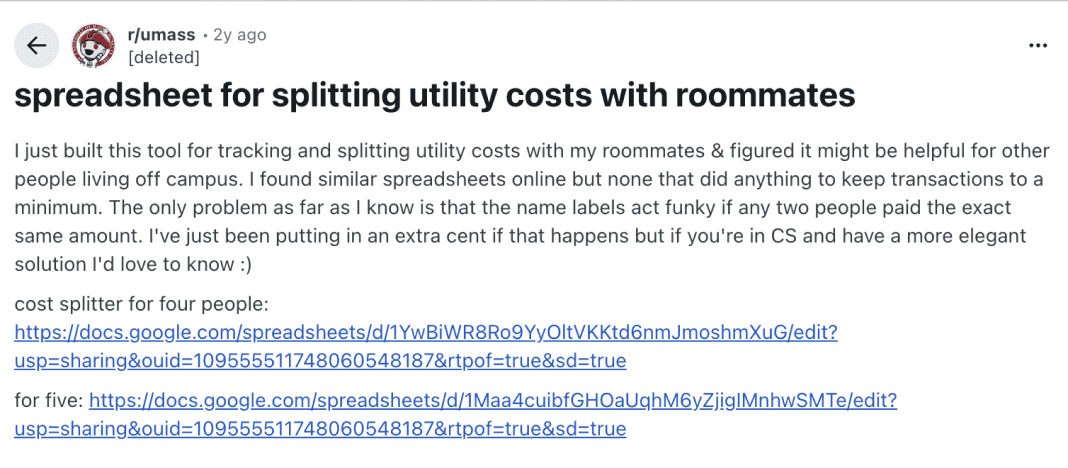
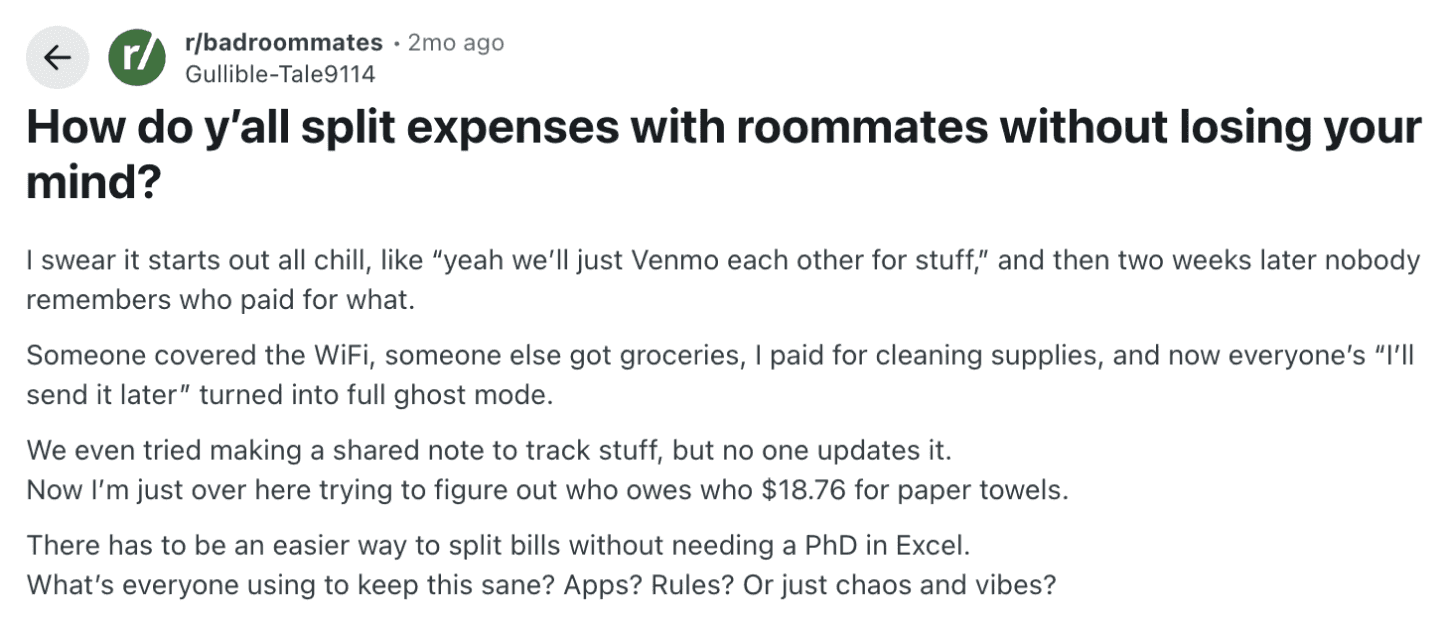
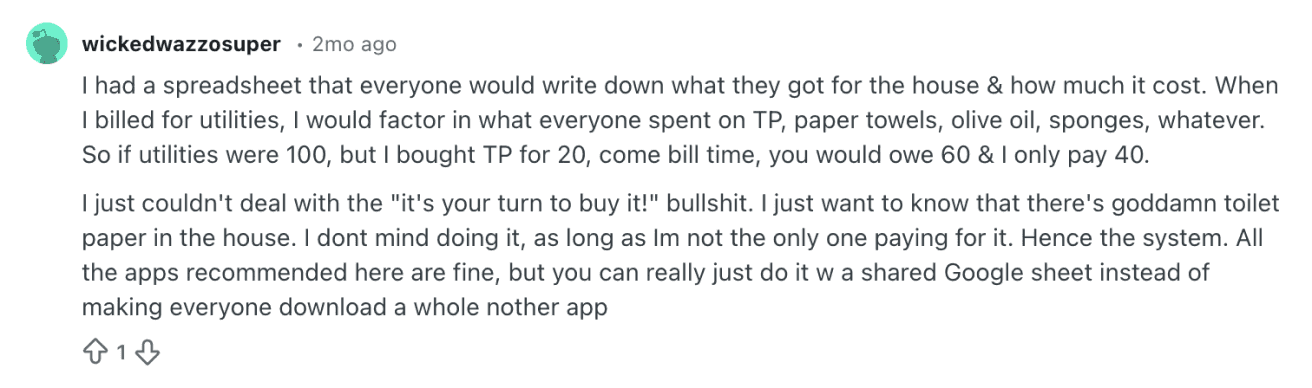
Analyzed organic user discussions on Reddit to help us define the fragmented tools and friction points in current expense-splitting methods.
Competitive analysis
👩🏽💻
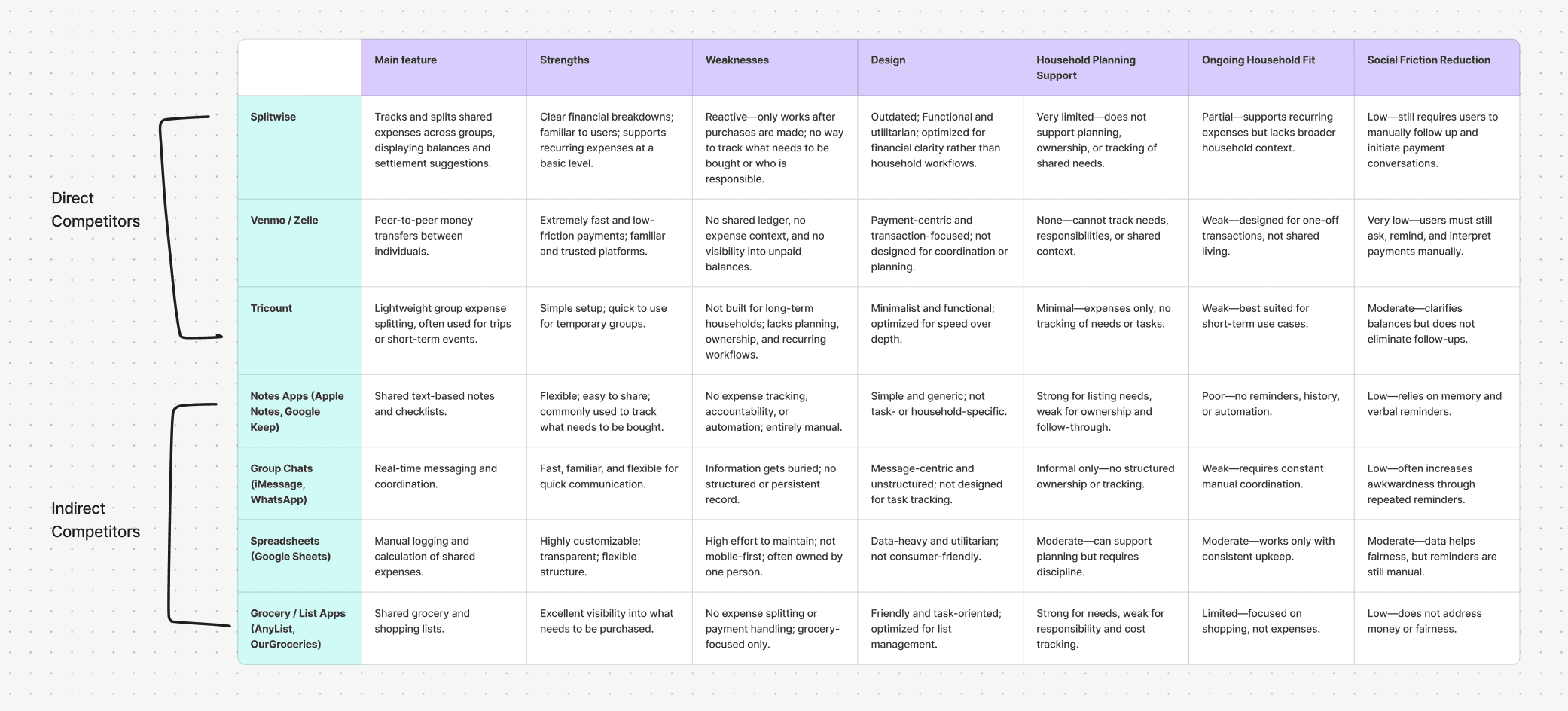
Our goal was to determine to what extent (if any) existing applications currently address this problem, and to determine which features of existing apps would be worth adopting for SmartCart.
Findings
Survey 💬
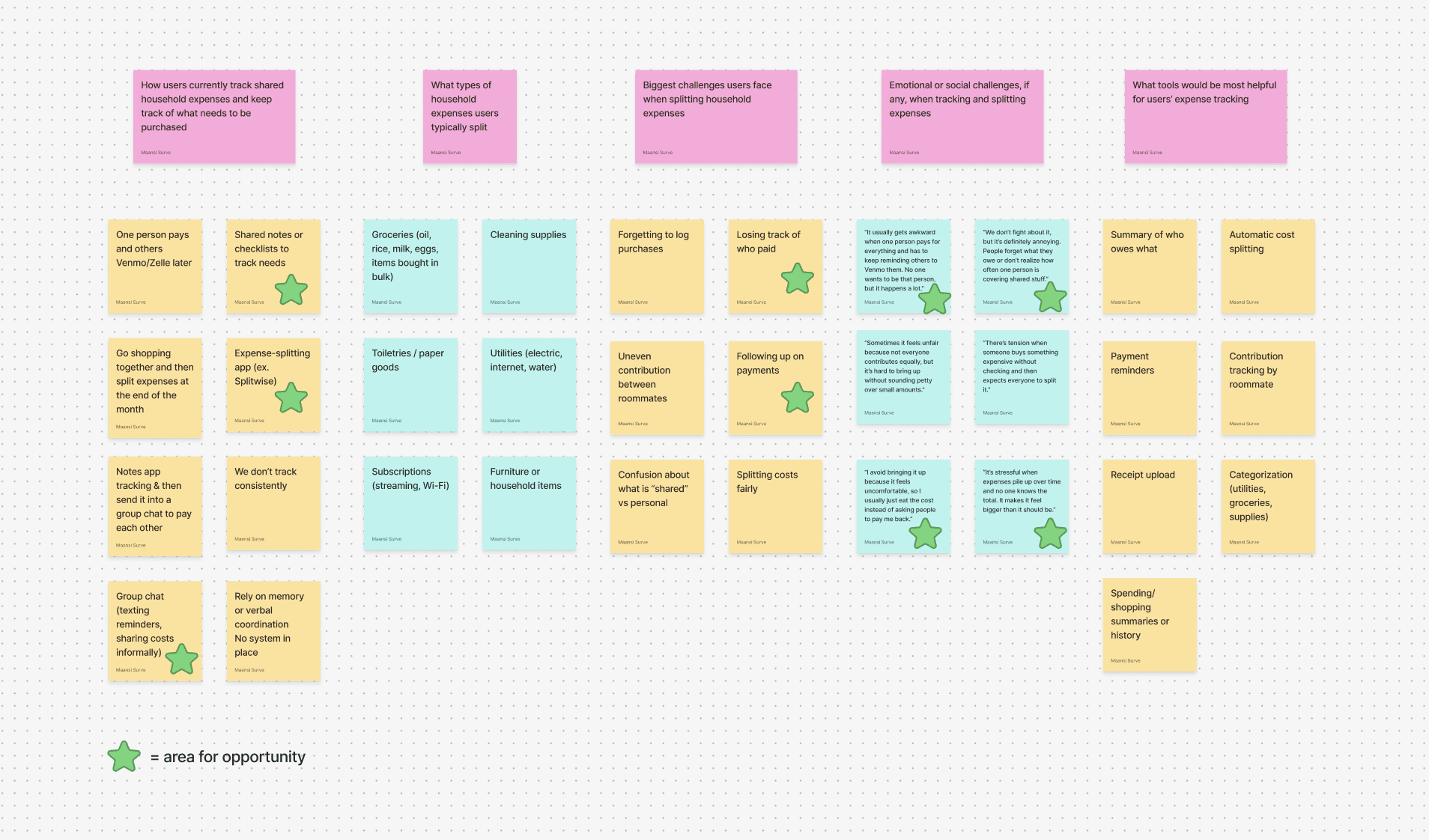
We used affinity mapping to synthesize the insights and identify patterns.
On the left, you can see how we organized survey responses into clusters—grouping similar pain points and behaviors together. The pink notes represent discussion points, yellow and blue notes showcase what users said, and the green starts highlight areas of opportunity.
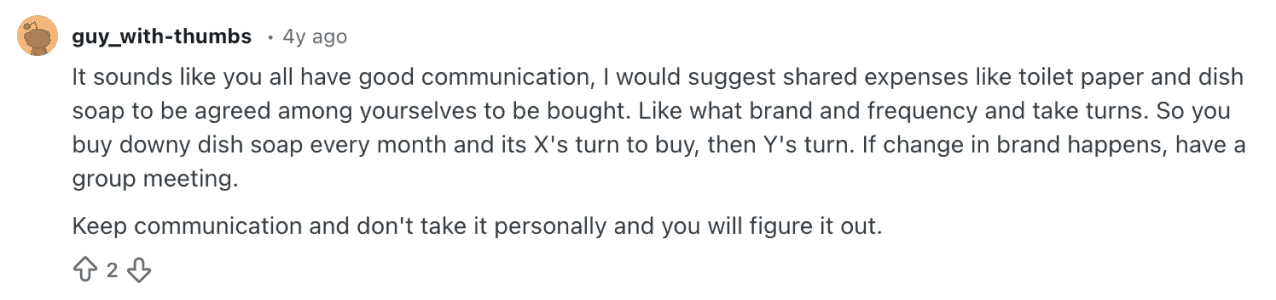
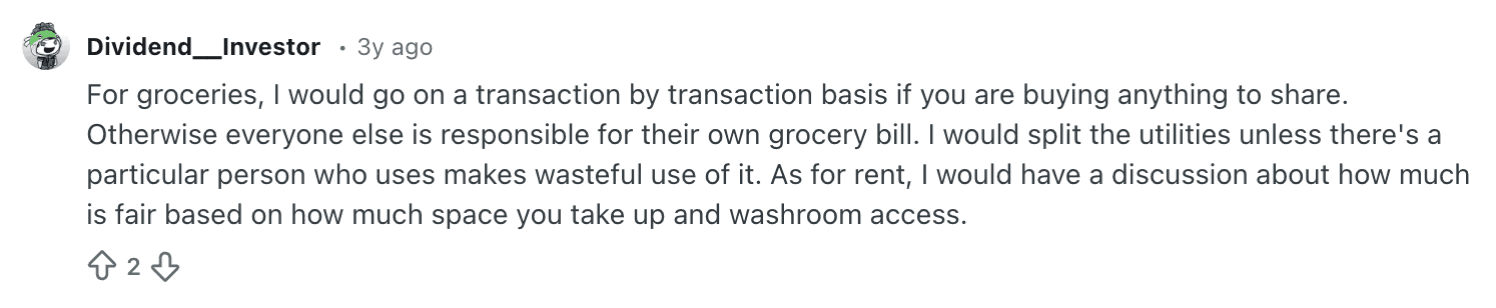
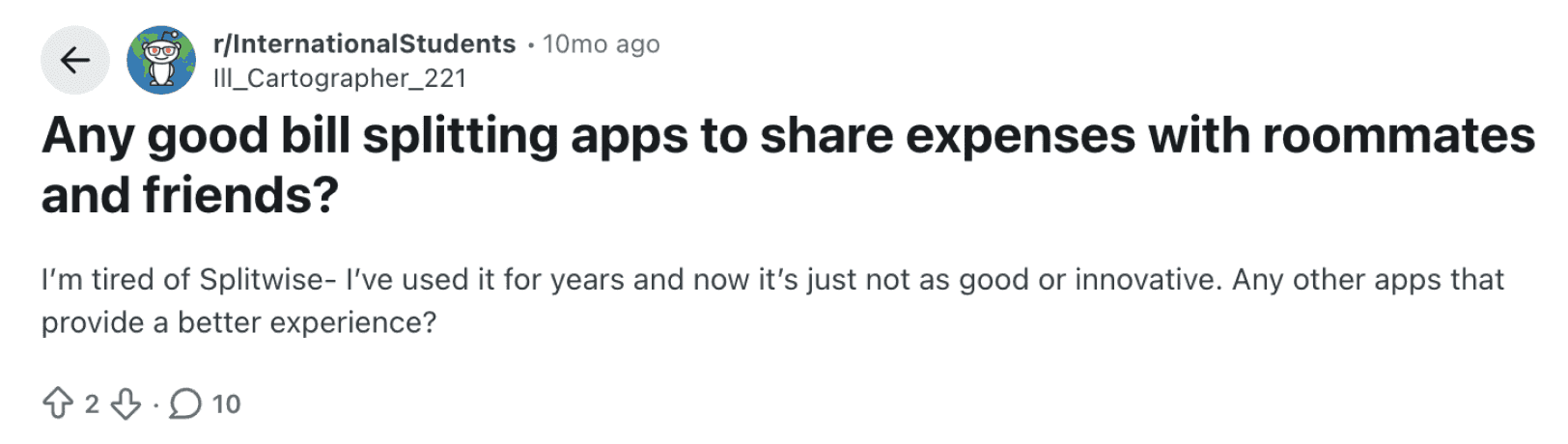
Below are real Reddit discussions where people described their real struggles—things like losing track of who paid for what, awkward money conversations, and the mental overhead of juggling multiple apps.
To understand the landscape, we analyzed both direct competitors that handle money transfers but lack shared planning, and indirect competitors that handle list-making but have no expense tracking. This competitive analysis validated a real gap: no existing solution bridges shared planning & shared expenses with automated payment reminders.
Secondary research 📖
Competitive analysis 👩🏽💻


Insights
After sorting through the data we identified 3 focus areas and pain points for building out our solution:
Create a single source of truth that automatically tracks expenses as they happen, eliminating manual logging across multiple platforms.
Opportunity
Using separate tools for tracking leads to forgotten expenses
& confusion
🤔
Automate payment reminders for shared expenses and subscriptions to reduce late payments and eliminate the need for manual follow-ups.
Opportunity
Following up on payment reminders
⏰
Build transparent contribution tracking that shows purchase history and balances over time, making fairness visible and automatic.
Opportunity
Lack of visibility into individual contributions creates resentment & awkward conversations
😬
User Flow Diagram
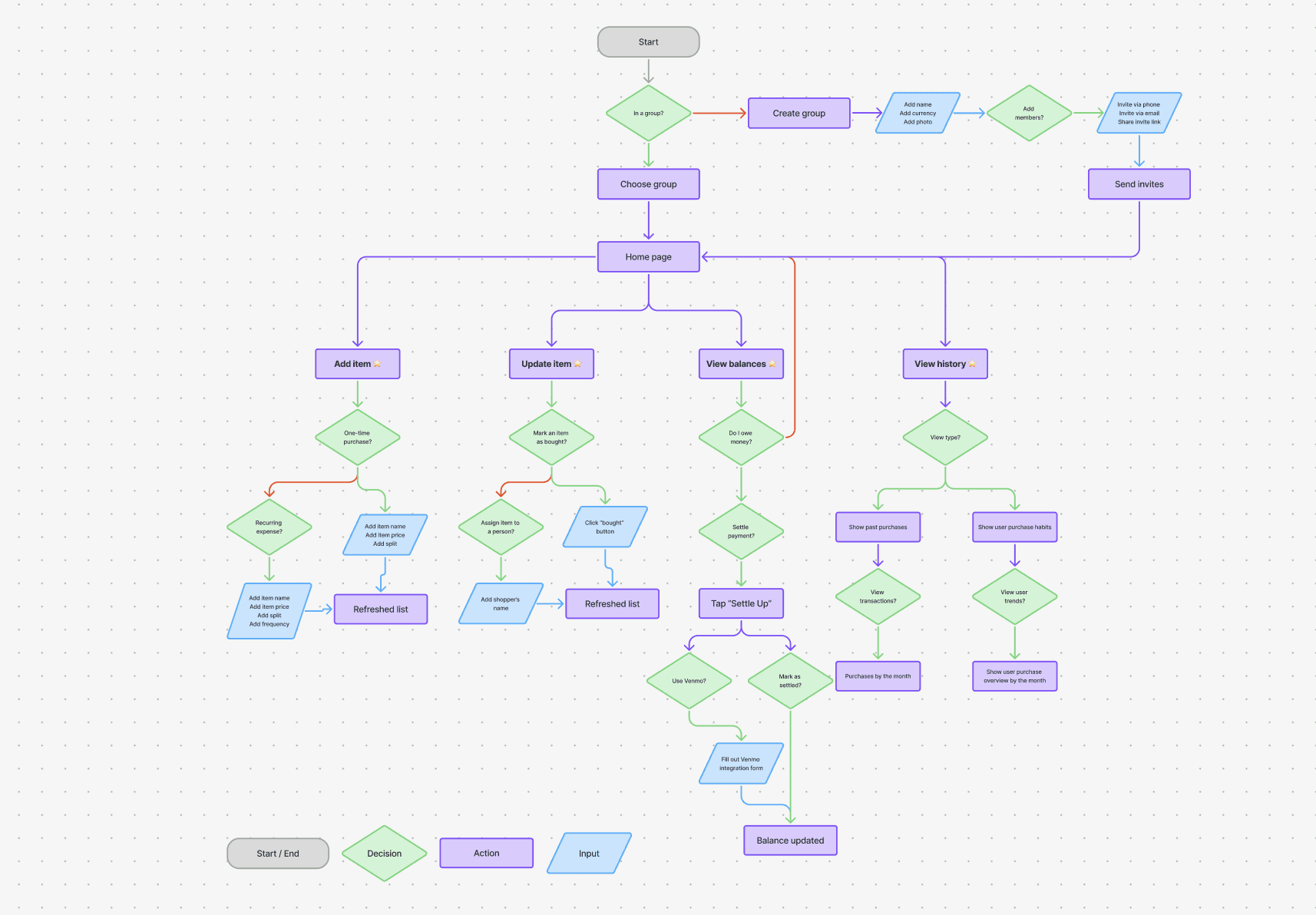
To design a cohesive experience, I mapped out our most important user flows from start to finish, using LucidAI to help build the diagram. This blueprint traces key pathways—creating groups, adding items, assigning shoppers, splitting expenses, and settling balances—allowing me to identify critical decision points and design for those moments intentionally.
Wireframing
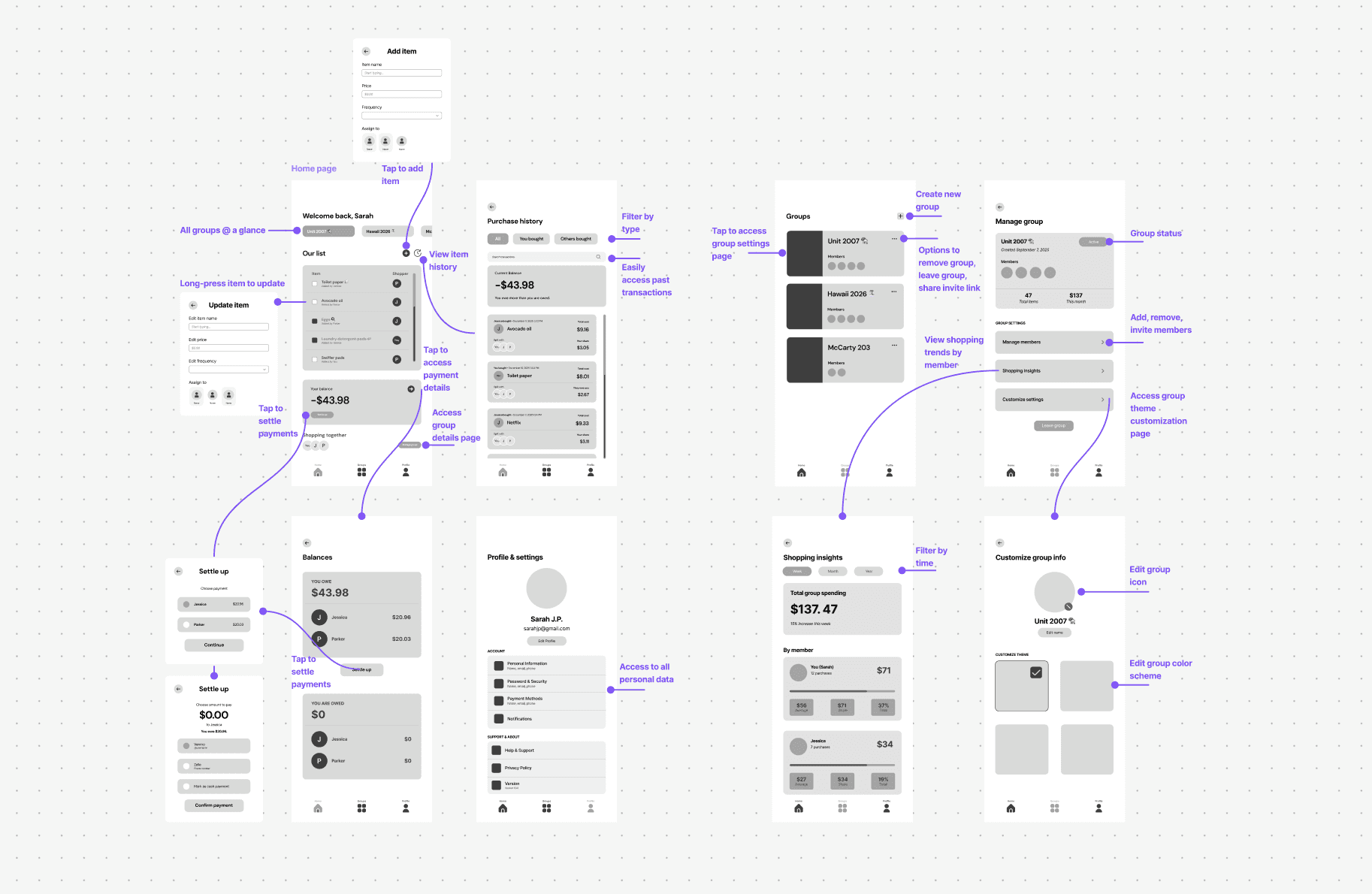
This is where I started making my first mockups, where I focused on mapping out the core screens.
During this phase, I gathered feedback from my partner, who has a PM background, which helped me think more critically about clarity and user understanding. His input highlighted where small adjustments to buttons, labels, and wording could reduce confusion and better communicate the intent behind each part of each screen.
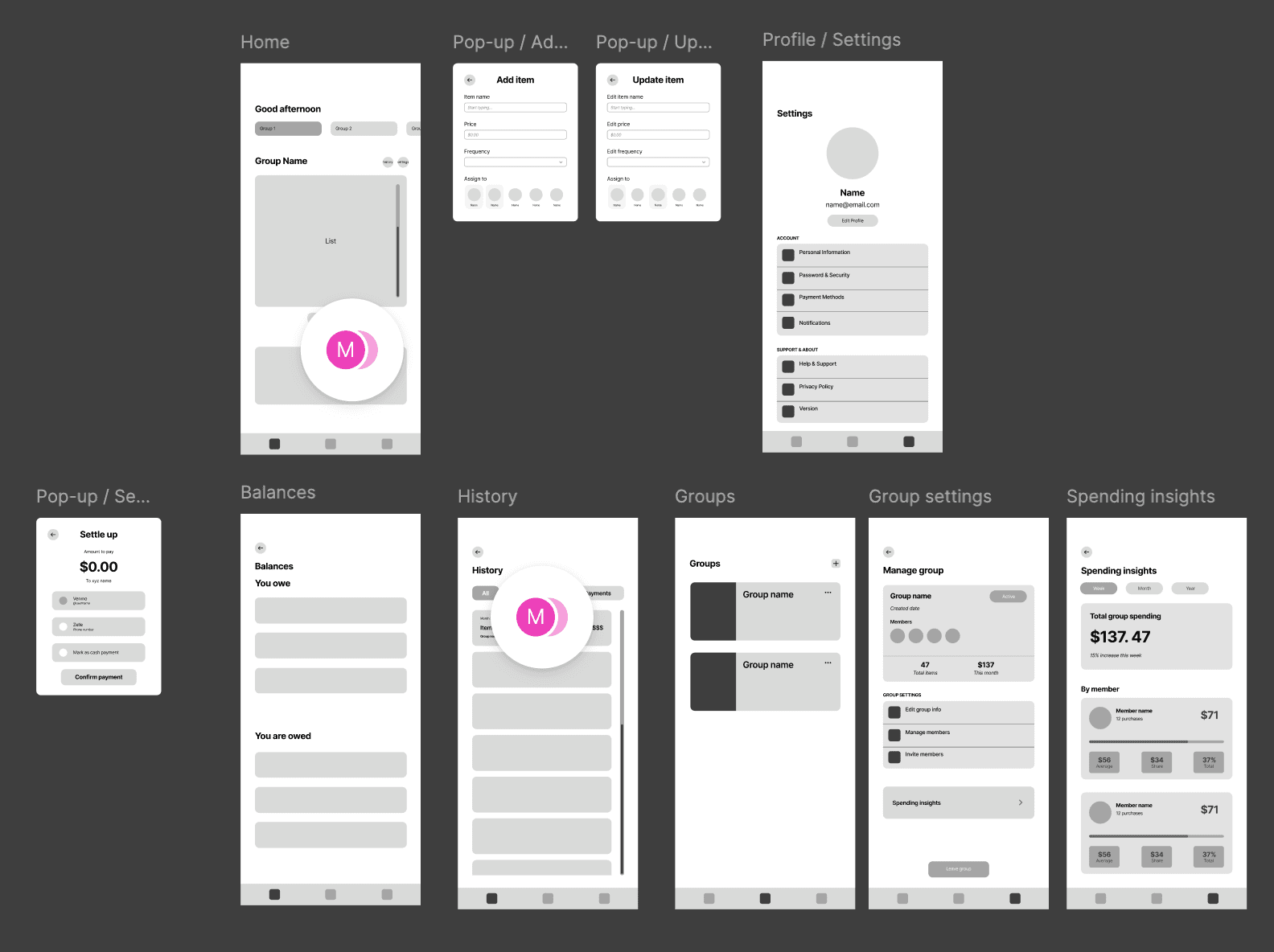
Some notes from Jeff
Home page
Change “Add item” button to a + to reduce visual noise
Rename button titles to be more clear & specific
Rename “Balance” section since the app doesn’t store any money as“balance”
History page
Rename “Your purchases” button for clarity
Remove “Group name” as it is not needed & adds to visual clutter
Lo-fi mock-up
In the second round of wireframing, I focused on mapping relationships between pages and clarifying the purpose behind each interaction. Instead of just laying screens out, I considered how users would actually move through the experience, ensuring each design choice clearly supported their goals before refining visuals further.
Detailed wireframes
Design System
A huge part of our design thinking focused on enabling quick, daily interactions, since tasks such as tracking finances can feel overwhelming. As a 1-person design team, I wanted to ensure my decisions were backed by research into successful products. I did a deep dive into Wells Fargo's banking app, one of the most successful in the market, and found principles that stuck with me throughout my work. For inspiration, I also studied UI patterns from Spotify and Uber, analyzing what makes their interfaces easy to follow on a daily basis and how they present multiple actions at a glance.
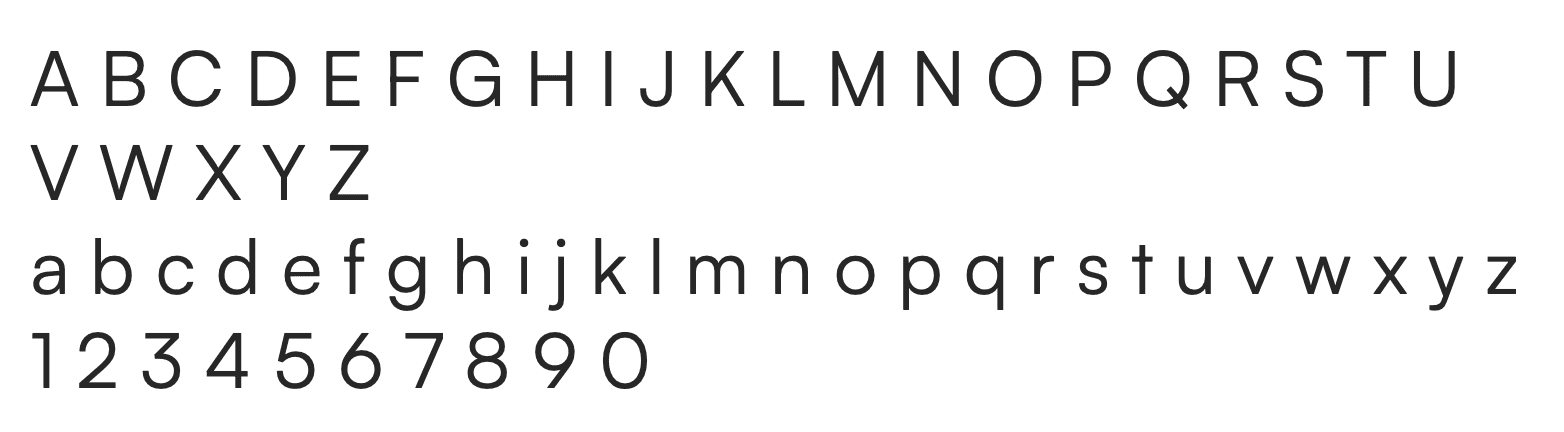
Below is the style guide we ultimately decided on:
Primary font
Color
Icongraphy
H1 Headline
H2 Headline
Subtitle1
Subtitle2
Button
Caption
Body1
Body2
Bold 18px
Regular 18px
Medium 16px
Bold 12px
Regular 16px
Medium 14px
Regular 14px
Regular 12px
Satoshi
Smart
Cart
White
Light graphite
Graphite
Ocean gradient
Blue
User Testing
To validate our design decisions, I conducted observational user testing with 6 participants. Each user was given a task-based script simulating real-world scenarios—like restocking essentials after returning from winter break, logging purchases, and reviewing household spending. I observed their interactions and noted key challenge areas to inform design iterations.
Below are the key pieces of feedback we focused on:
The page displayed "12 purchases" but users expected to see shopping trips or items bought, not transaction counts. The lack of a date filter made it impossible to view specific time periods, and the average calculations felt irrelevant to their actual needs.
Spending insights page was unclear
🤔
Changing simple settings like the group name required 3-4 clicks through multiple menus. Users expected this to be accessible directly from the group page or through a quick settings icon, not hidden in nested navigation.
Group customization buried too deep
🎨
Users struggled to orient themselves because the Home page, Groups page, and Lists page all used similar visual structures. They would lose track of where they were in the app and click back thinking they'd navigated to the wrong place.
Page layouts felt repetitive
🔄
Users often paused to decipher what numbers & buttons meant throughout the app. Without clear context, they weren't sure if dollar amounts represented what they owed, what they'd spent, or their total share. Button text could also be more clear about the action being taken.
Unclear labels and CTAs
🤷♀️
Core Features
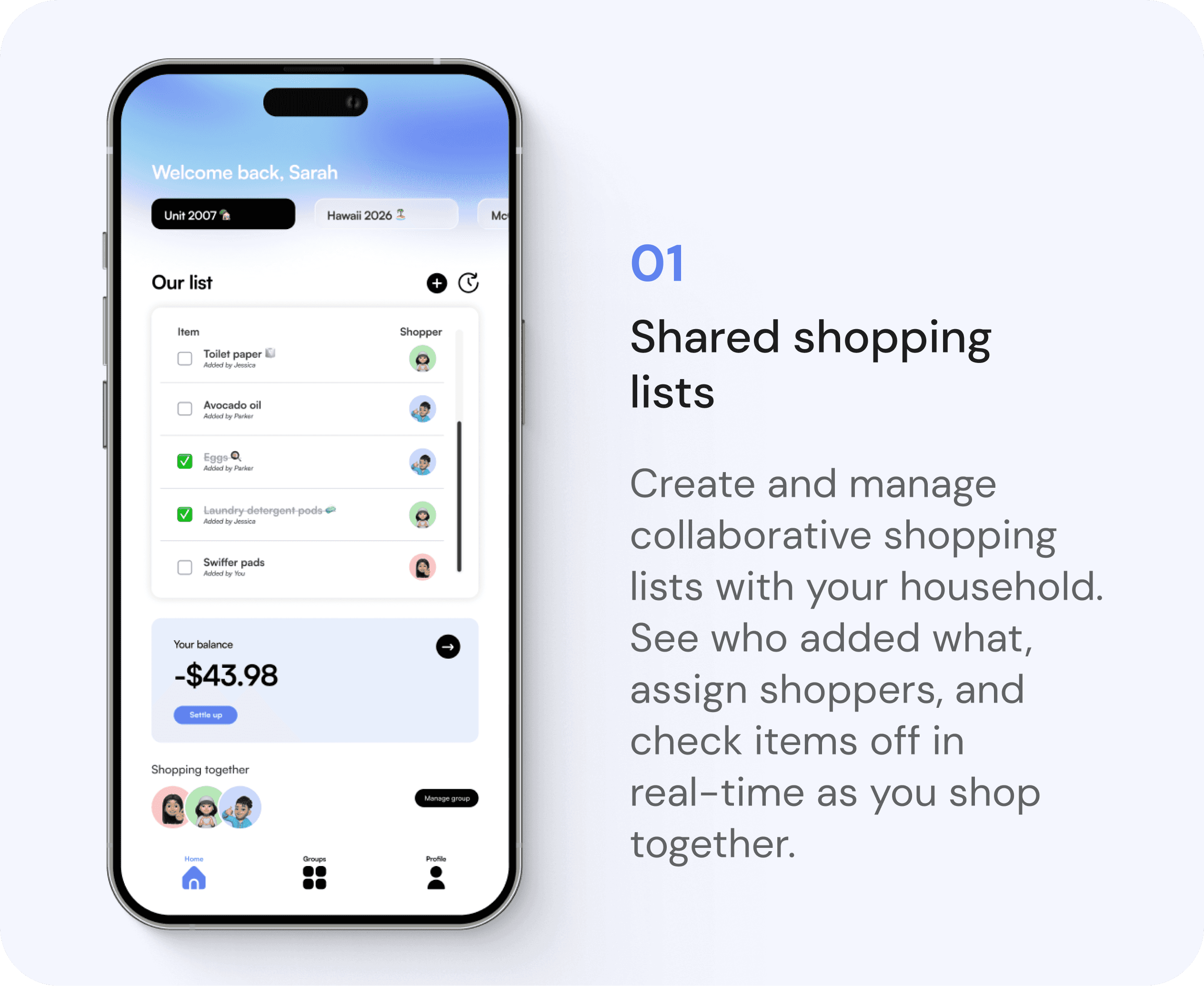
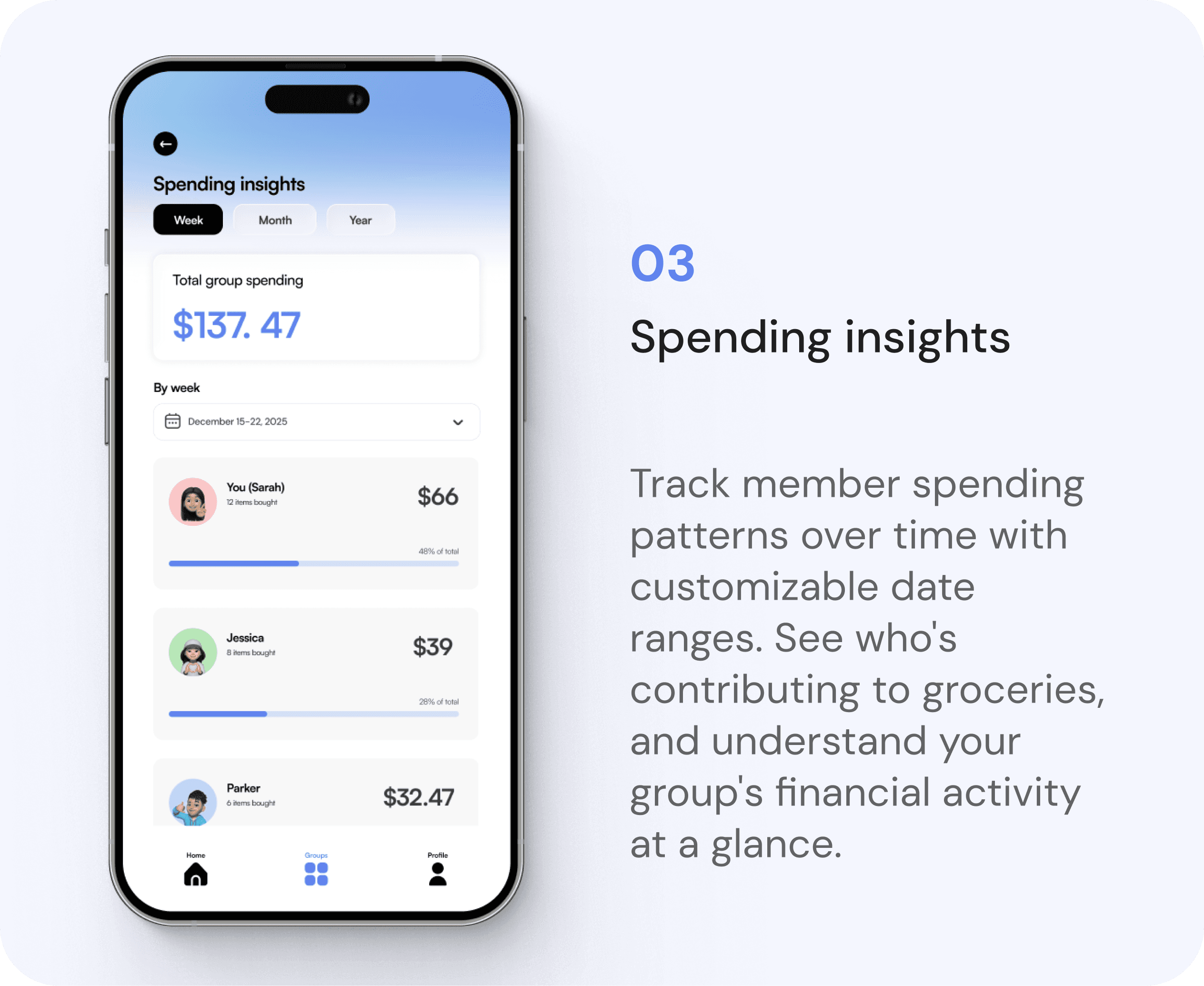
These 5 features form the core functionality of SmartCart, working together to transform household expense management from into a seamless, collaborative experience.
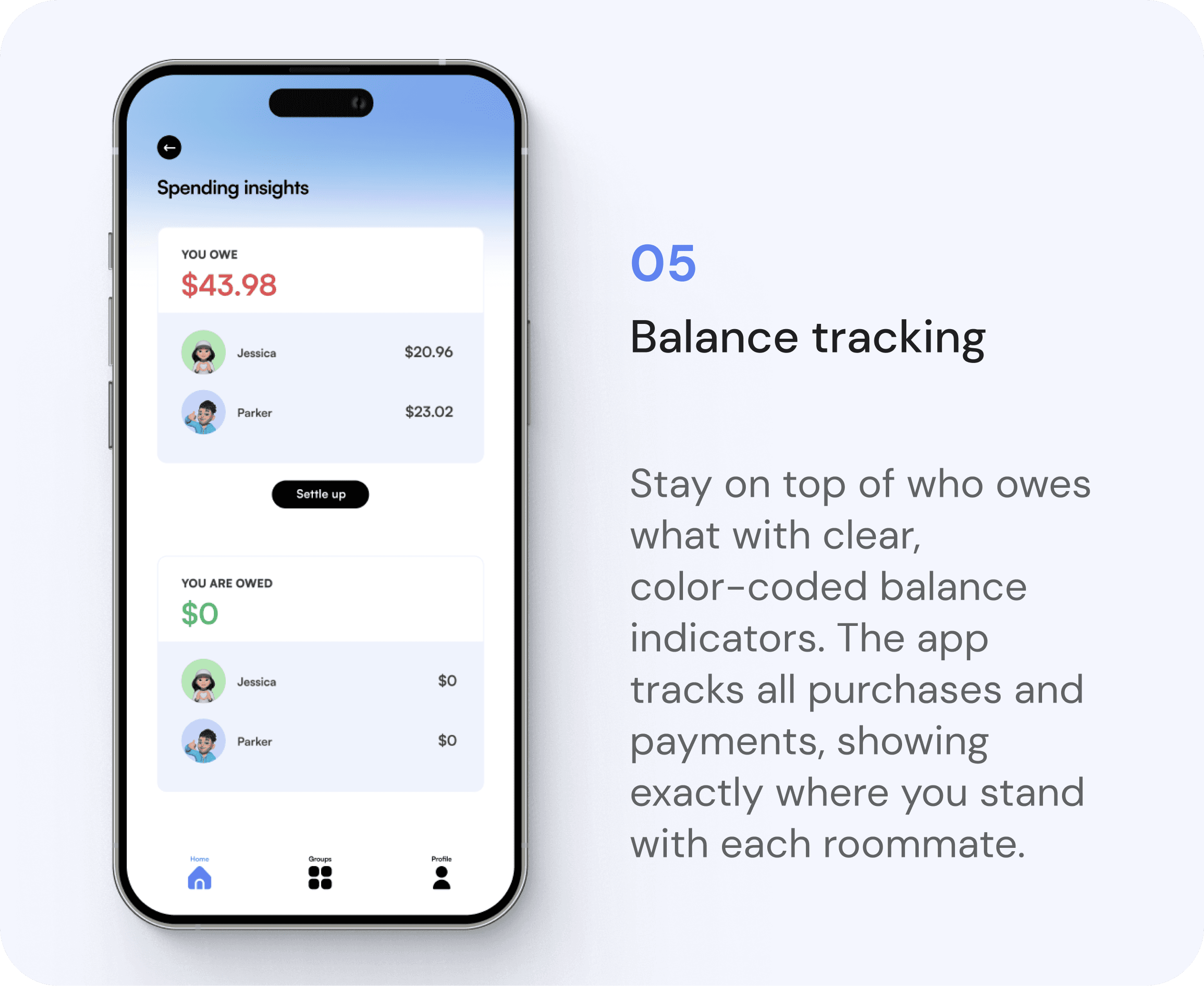
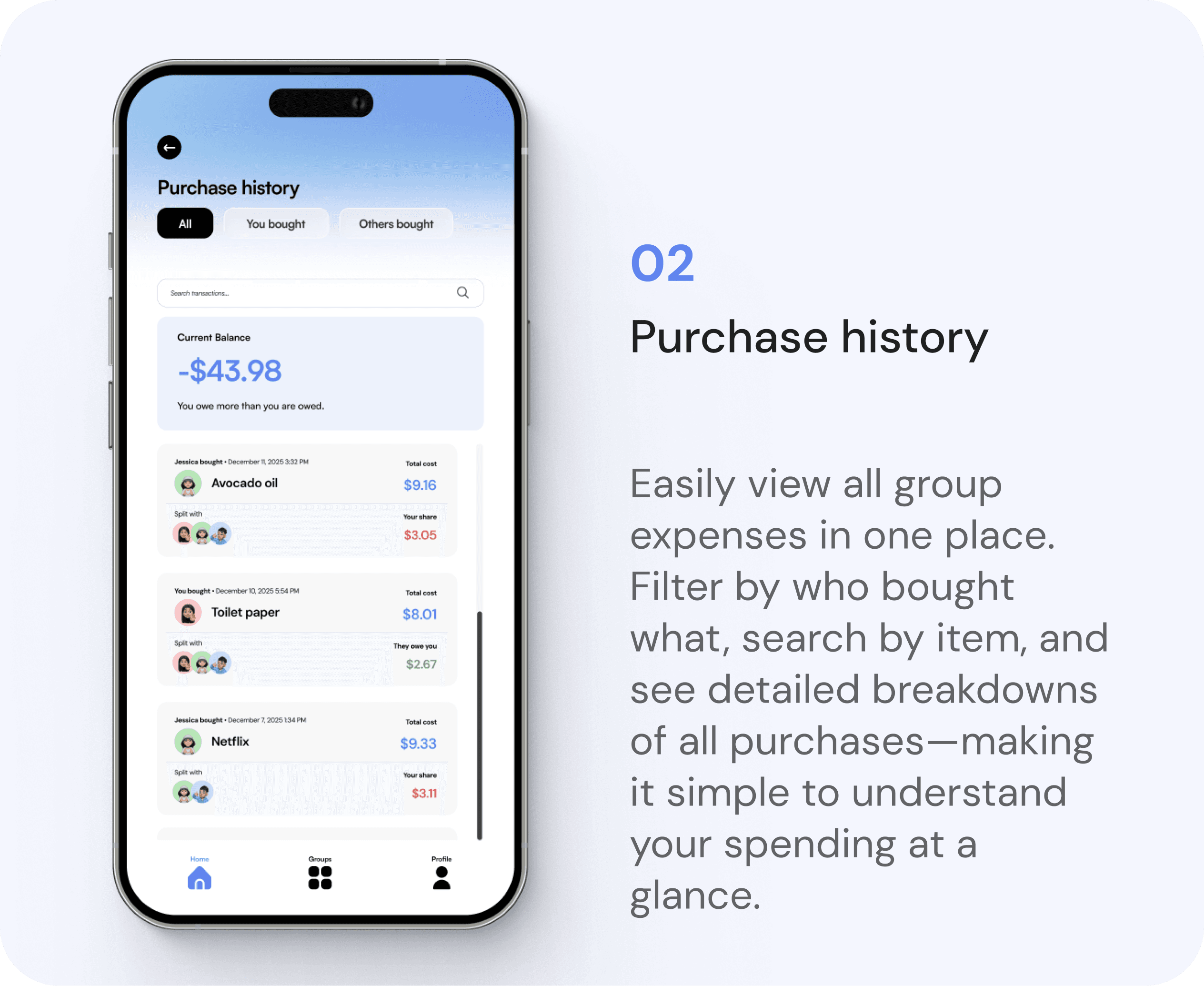
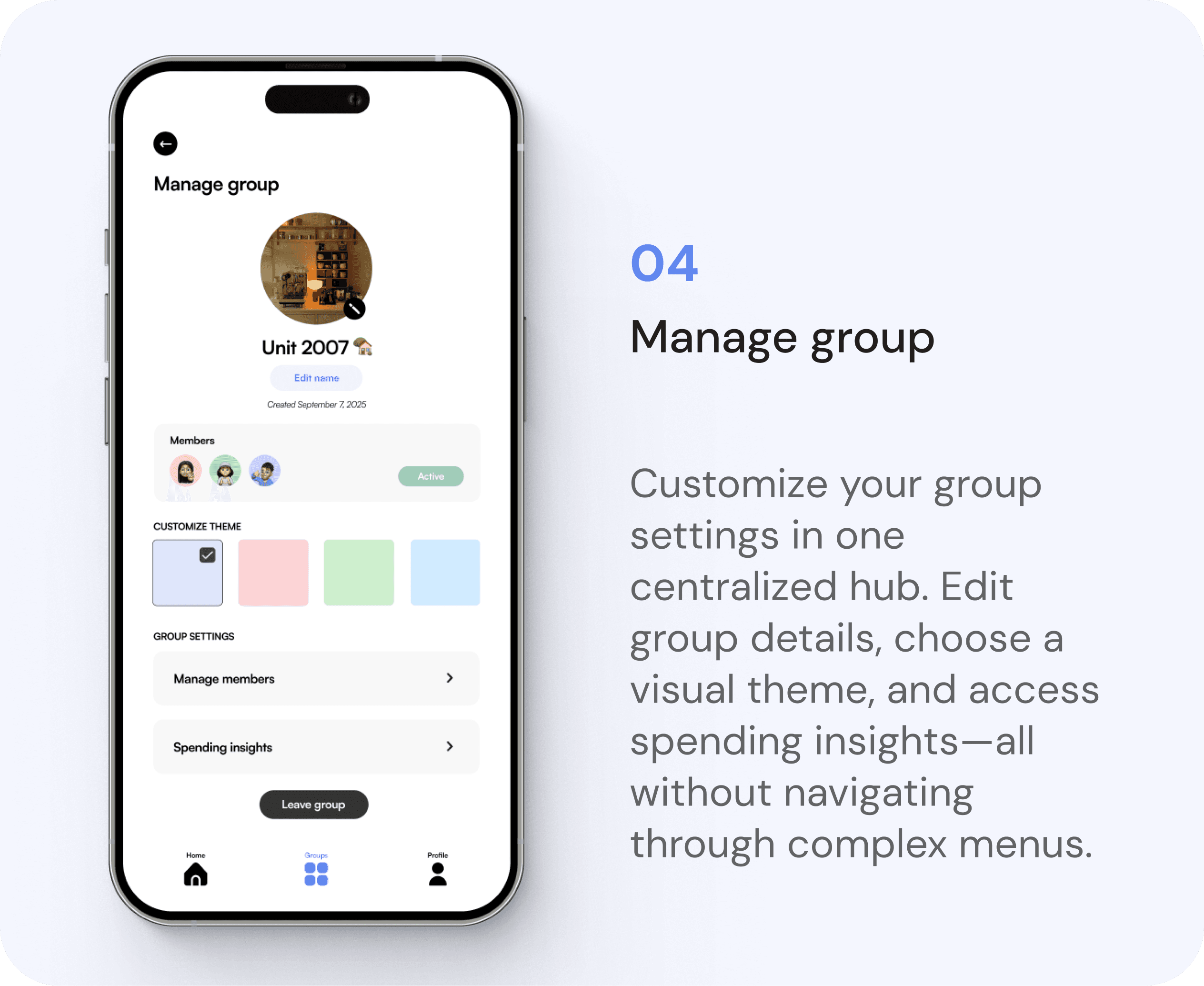

Features in action
Adding an item
Marking an item
as bought
Editing group settings
Viewing expense
history & insights
Learnings & Next Steps
Key Takeaways
🎨 Clarity trumps aesthetics
Users struggled with unclear labels even when the design looked polished. Explicit, intuitive language is more valuable than minimal design in finance apps.
📝 Context matters
Displaying data without context left users confused. I learned to design around user mental models—showing information in ways that match how people naturally think about their spending.
🤳🏽 Quick access drives adoption
Research into Spotify and Wells Fargo showed that reducing friction for daily tasks is critical. Simple actions can't require multiple navigation layers.
Next Steps
👤 Expand user testing
Conduct remote usability testing on UserTesting.com with a larger participant pool to gather additional feedback and continue iterating.
👩🏽💻 Develop iOS implementation
Translate finalized designs into a functional iOS app, ensuring interaction patterns and visual details work seamlessly in native mobile.
🔔 Introduce notification system
Design automated push notifications for payment reminders, new items, and balance updates to keep users engaged.